GeneBe Desktop
GeneBe Desktop is a local-first workspace for opening, filtering, and interpreting genomic variant files. It is designed for researchers and clinical teams who need to inspect large files without moving the files into a web upload workflow.
GeneBe Desktop is actively evolving. Features and supported workflows may change as the application matures.
At a glance
- Open VCF, VCF.GZ, and BED files directly on your computer.
- Browse large files using an indexed local DuckDB cache.
- Filter variants with a column sidebar or an advanced query editor.
- Inspect GeneBe ACMG classification, ClinVar significance, population frequencies, and other annotations.
- Open an embedded IGV genome browser alongside the variant table.
Screenshots
The screenshots below show the current early-release interface and the main stages of a typical workflow.
Welcome screen
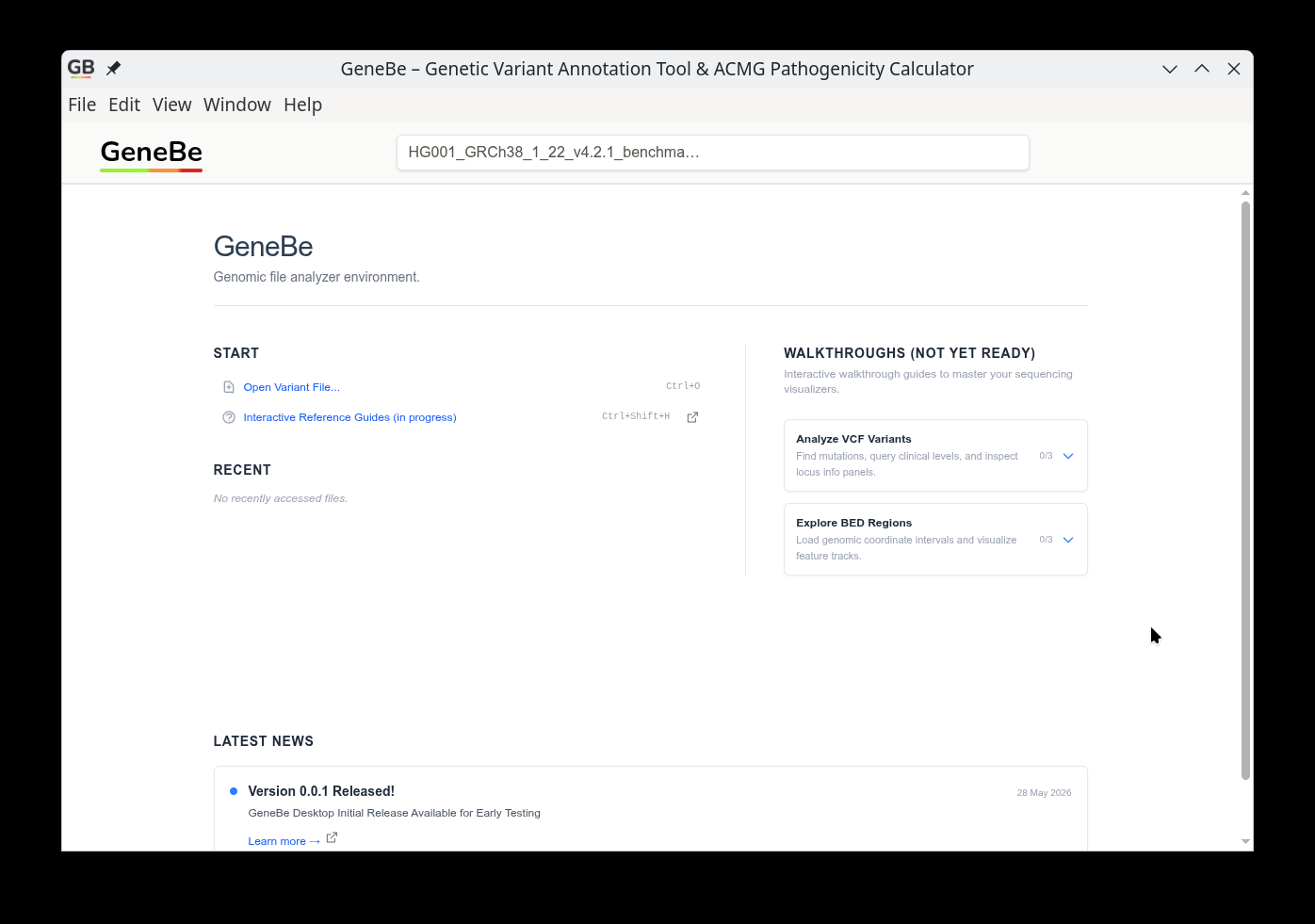
Start a local workspace by opening a VCF or BED file.
VCF viewer and filters
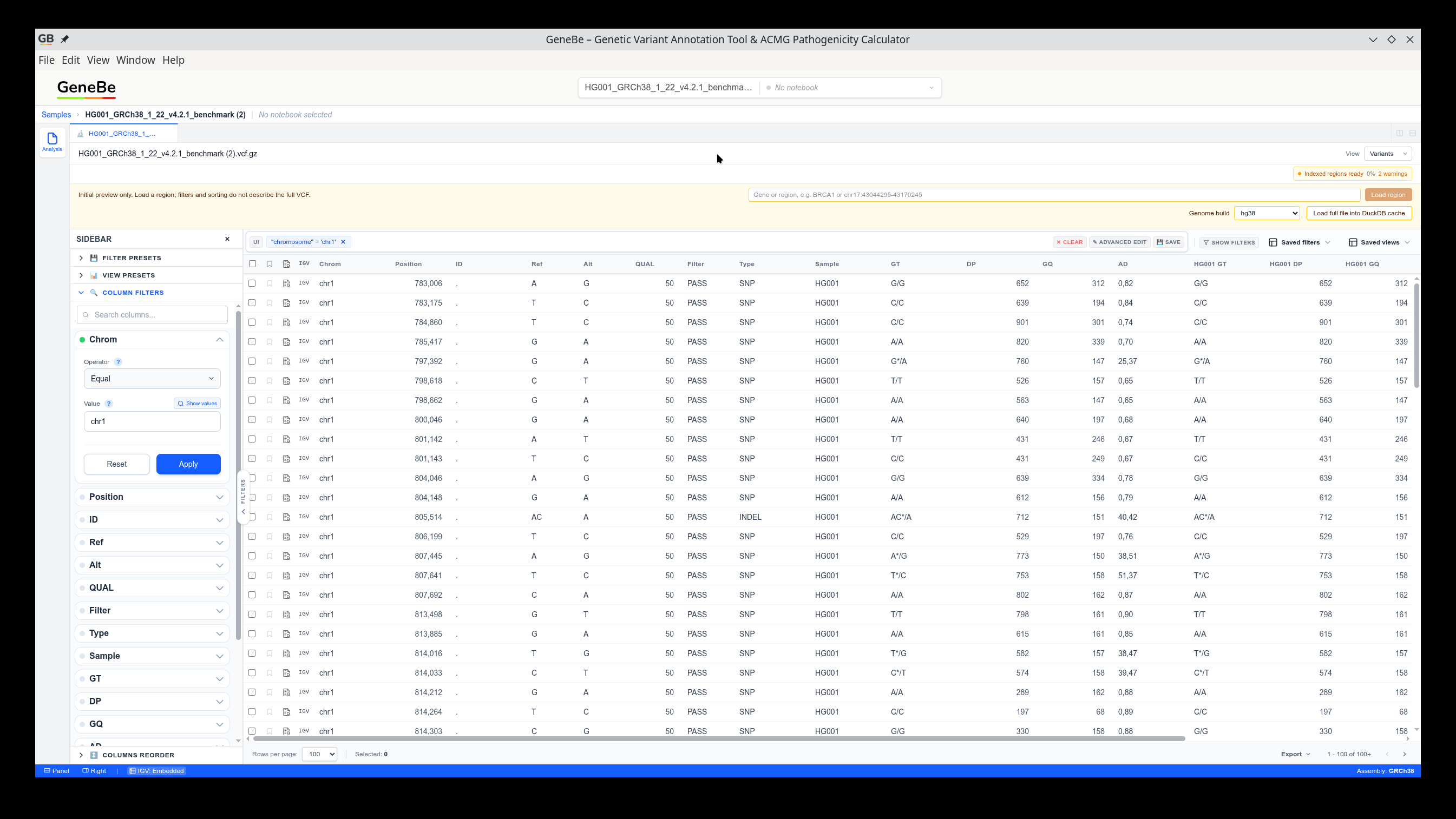
The variant table provides a quick overview, while the filter sidebar helps narrow a large file to the variants you want to inspect.
VCF and BED together
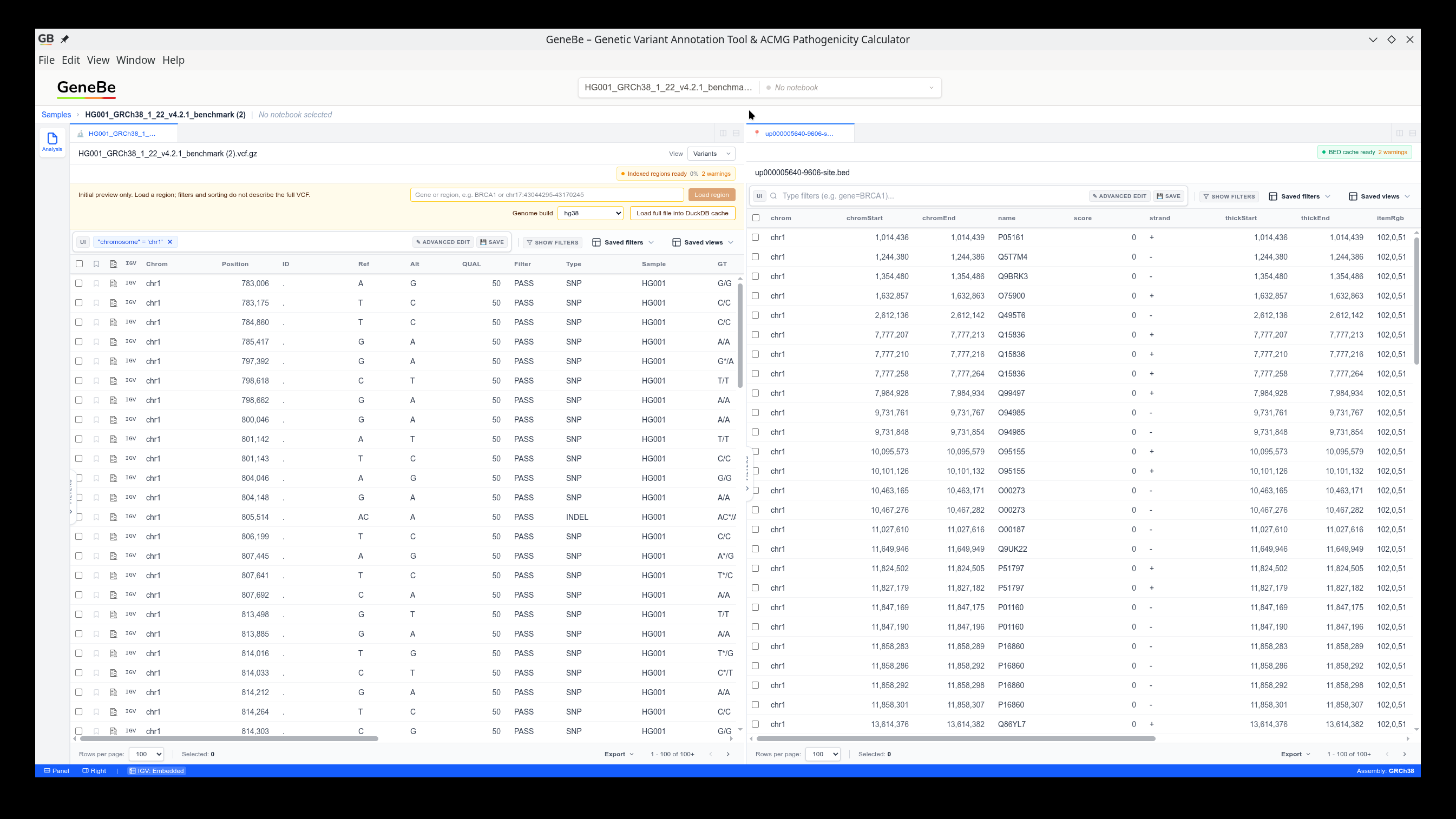
Open a VCF together with a BED file to view regions and variants in the same workspace.
Advanced query editor
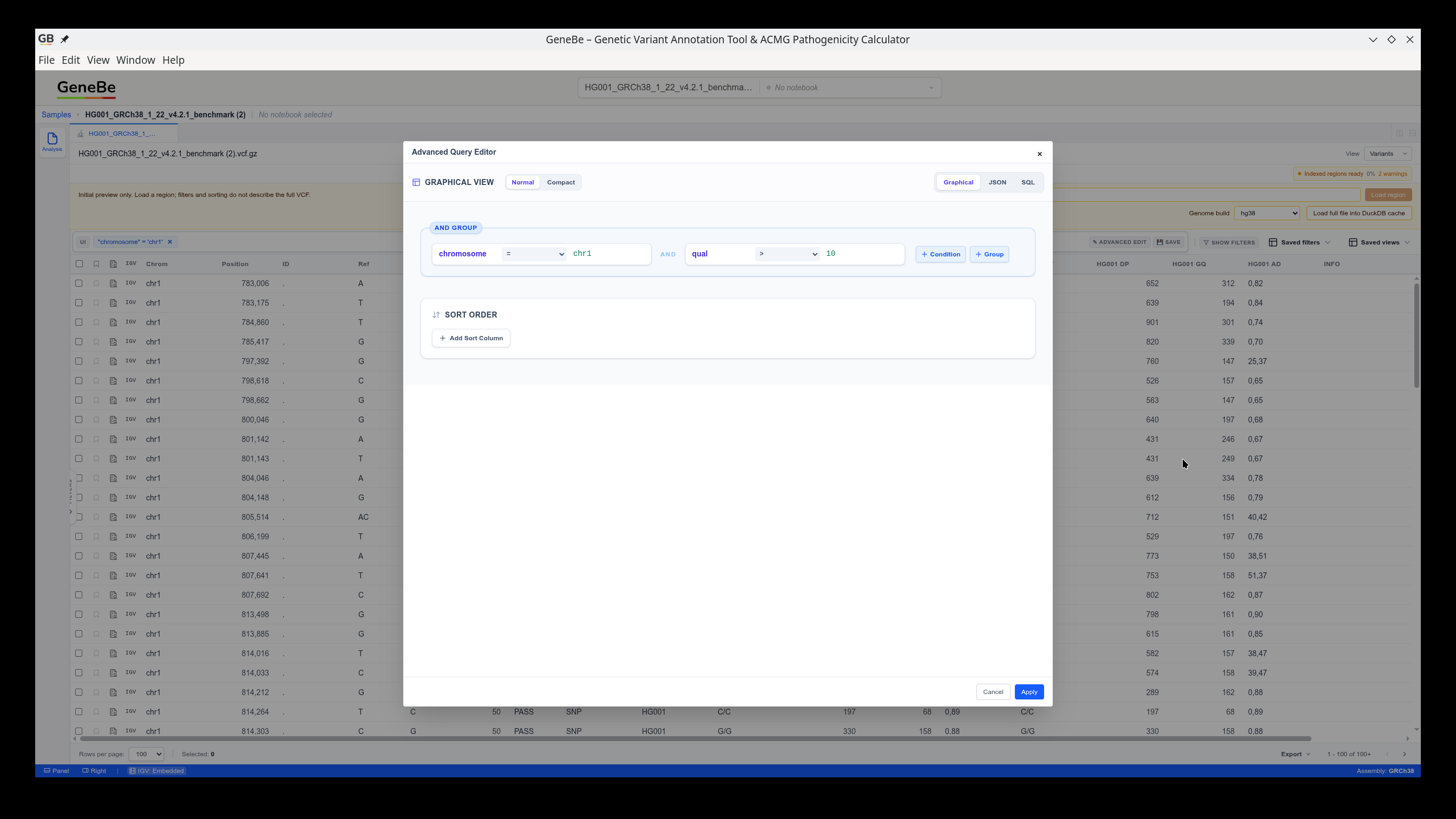
For more involved questions, use the graphical editor, JSON view, or raw SQL query against the local data.
Variant details
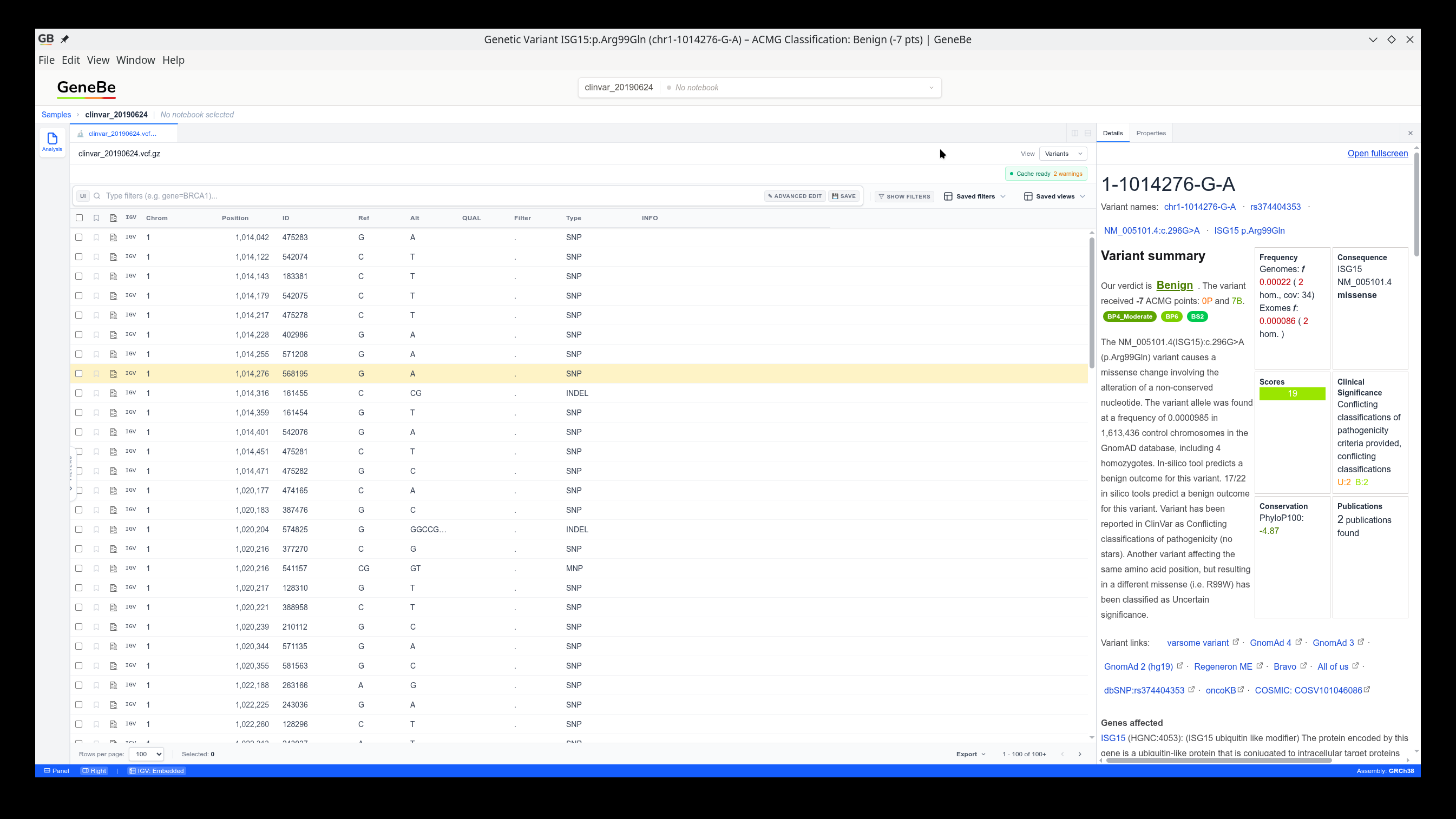
The details view combines GeneBe interpretation with clinical and population annotations. Additional annotation data is downloaded from GeneBe when you open a variant's details.
Gene and transcript details
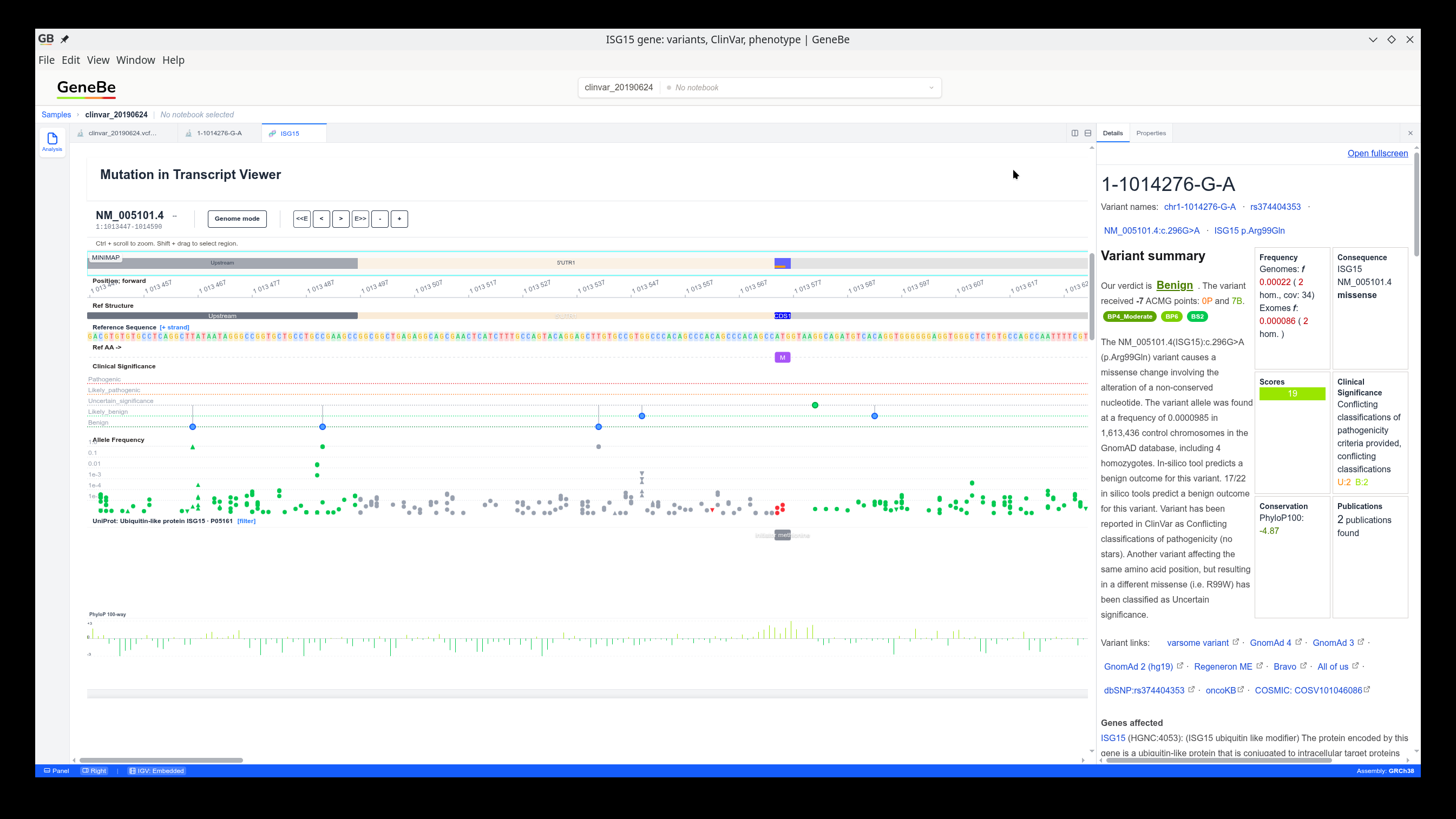
Inspect a variant in its transcript context together with conservation and clinical-significance tracks.
Embedded genome browser
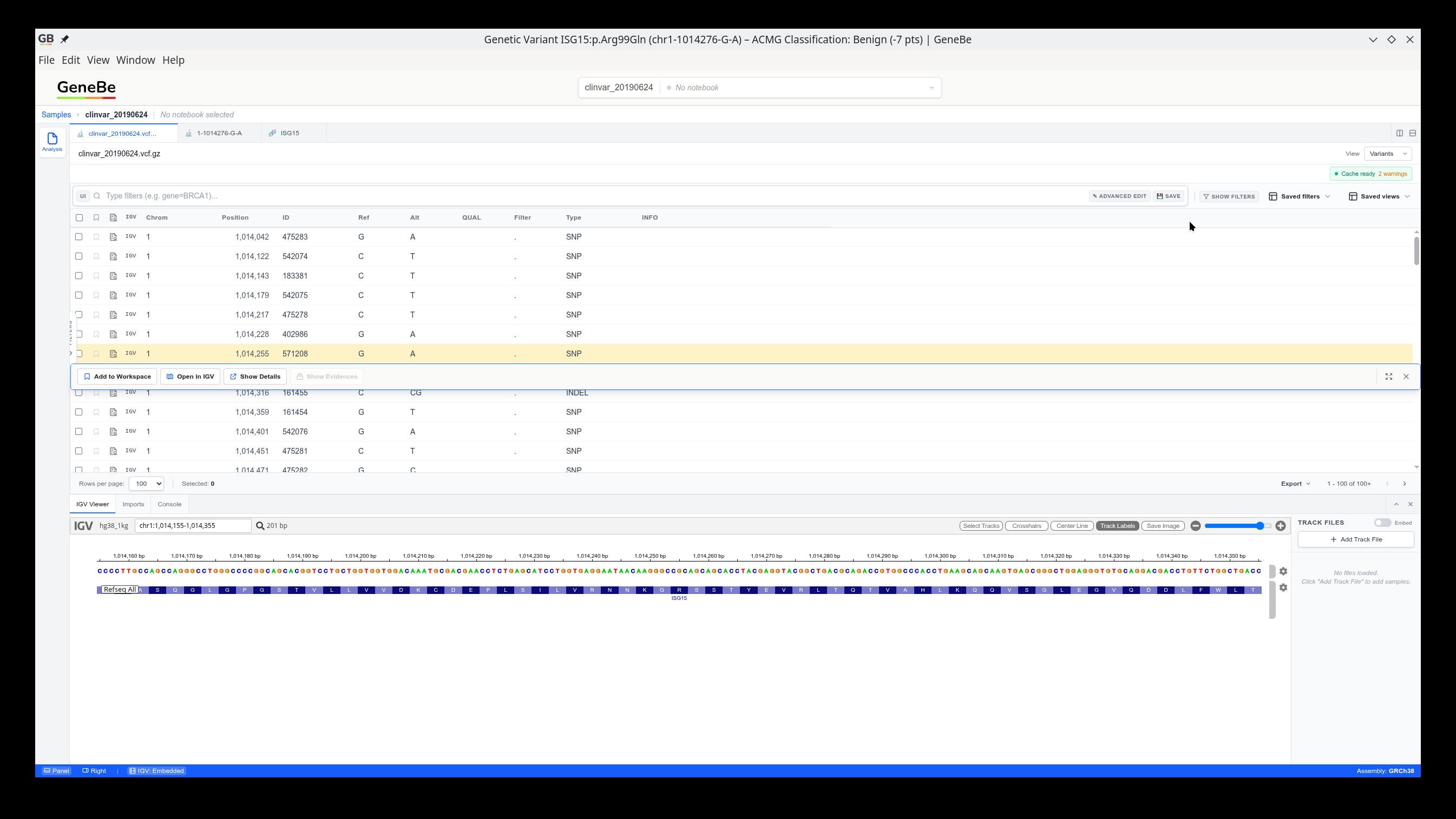
Use the embedded IGV view to inspect reads and tracks without switching to another application.
Local-first data handling
Your VCF and BED files are opened and queried locally. They are not uploaded just to browse or filter them. When you open a variant details view, GeneBe Desktop contacts GeneBe to retrieve annotations and interpretation for that variant.
For very large VCF files, the application first creates an indexed preview and can load the complete file into a local DuckDB cache. If an index is available, you can also select a region or gene before loading a large file.
Installation
GeneBe Desktop is currently available for Windows and Linux.
Current roadmap
Already available:
- Local VCF viewer and fast filtering
- Variant table
- Embedded genome browser
Planned:
- Structural-variant and CNV support
- Annotating VCF files with local user files
- Annotating with databases from GeneBe Hub
- Exporting VCF results to Excel
Check the GitHub Issues for current progress and feature requests.
Frequently asked questions
Do I need to upload my VCF?
No. GeneBe Desktop opens and filters VCF and BED files locally. Annotation data is fetched from GeneBe only when you request details for a variant.
Which file formats are supported?
VCF and VCF.GZ are supported for variants, and BED is supported for regions and tracks.
Which platforms are supported?
Windows and Linux are currently supported. See the installation links above for the latest packages.
How do I report a problem?
Open a GitHub Issue and include your operating system, GeneBe Desktop version, steps to reproduce, and a screenshot. If possible, include a small representative VCF file.
More information
See the GeneBe Desktop releases repository for updated screenshots, release notes, downloads, and the latest roadmap.